

When you first start using instant messaging apps, you might encounter abbreviations that aren’t immediately clear. If you have ever wondered about the dp meaning whatsapp, you are essentially looking at a shorthand term for your profile image.
It stands for “Display Picture,” a term that has become deeply embedded in the culture of social media and digital communication. Understanding how this small visual element functions can help you manage your online presence more effectively and connect with your contacts in a way that feels intentional rather than accidental.
Defining the Display Picture
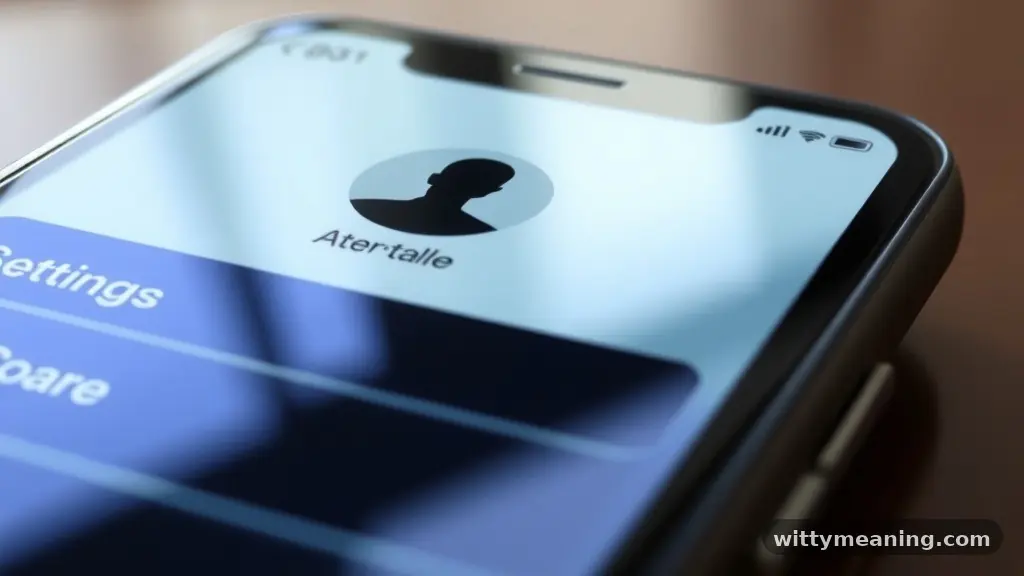
The term “Display Picture” is the definitive answer to the common question regarding what DP stands for in a social media context. It refers to the primary image that identifies you to your contacts.
When you open your WhatsApp profile settings, the image you choose to upload becomes your visual anchor. It is the first thing people see when they search for your name or look at a message you have sent.
This image serves as a form of digital identity. In an environment where you cannot see the person on the other end of the screen, the display picture acts as a proxy for your physical presence.
Whether you choose a professional headshot, a candid photo, or an artistic graphic, you are curating how others perceive you. It is a fundamental component of your account management and one of the most visible aspects of your personal branding online.
Evolution of Social Media Avatars
The concept of a social media avatar has evolved significantly since the early days of the internet. Initially, users relied on basic icons or generic silhouettes to represent themselves.
Today, the display picture has become a high-resolution canvas for self-expression. On platforms like WhatsApp, this visual representation is central to how we categorize and recognize our contacts.
Early instant messaging services relied heavily on text-based interactions. The introduction of profile photos changed the landscape, allowing users to move beyond simple screen names.
This shift toward visual identification made platforms more personal and engaging. By updating your profile icon, you are participating in a long-standing tradition of digital self-presentation that spans across nearly every major messaging and social networking platform available today.
Why Your Profile Photo Matters
Your profile photo is more than just a decoration; it is a tool for user identification. When you are part of large group chats or have a long list of contacts, your display picture helps people quickly identify who is speaking.
Without a clear image, your messages might get lost in the shuffle. A recognizable photo acts as a visual bookmark for your interactions.
Beyond mere identification, your profile image helps set the tone for your conversations. A warm, welcoming photo can make you seem more approachable, while a more formal image might be appropriate if you use your account primarily for business or professional networking. You are essentially managing your digital footprint every time you choose to change or update that specific image within your account settings.
Understanding Privacy Settings
Managing who can see your display picture is a critical part of maintaining your digital safety. WhatsApp provides robust privacy settings that allow you to control your profile visibility with precision. You aren’t forced to share your image with everyone in your contact list or every stranger who might have your phone number.
You can typically adjust these settings to restrict your photo to:
- Everyone: Visible to anyone who has your number.
- My Contacts: Only people you have saved in your phone can view your image.
- My Contacts Except…: Allows you to blacklist specific individuals from seeing your photo.
- Nobody: Keeps your profile picture hidden from everyone, regardless of their status.
Taking the time to configure these options ensures that your visual representation is only accessible to the people you trust. It is a simple step, yet it is one of the most effective ways to secure your digital communication on the platform.
The Role of Personal Branding
Even if you aren’t an influencer or a public figure, your profile photo is a form of personal branding. It tells a story about your interests, your aesthetic, or your current mood.
Many people change their display picture to match seasonal trends, milestones, or personal beliefs. This constant state of flux is a hallmark of modern online presence.
Think of your profile as a mini-portfolio. If you use your account for professional purposes, your choice of image should reflect that.
A clean, high-quality photo is generally preferred over a blurry or cluttered one. By aligning your visual identity with your goals, you make it easier for others to understand who you are and what you stand for, even before you send your first message.
Comparing Profile Features Across Platforms
While the term “DP” is synonymous with WhatsApp, it is used across various social media channels. However, the functionality and expectations for these photos can vary. The following table provides a brief comparison of how these images generally function in different digital spaces.
| Platform | Common Usage | Primary Purpose |
|---|---|---|
| Personal & Professional | Instant identification | |
| Brand & Aesthetic | Visual branding | |
| Professional Networking | Career representation | |
| Twitter/X | Persona & Identity | Recognition in discourse |
As you can see, the core concept remains the same, but the intent behind the image changes based on the platform. Understanding these nuances helps you adapt your profile customization to suit the specific environment of the app you are using at any given moment.
How to Change Your Display Picture
Updating your profile image is a straightforward process, yet it is often overlooked by new users. To change your photo, you typically need to access your account settings, select the profile section, and tap on your existing image or the camera icon. From there, you can choose to take a new photo with your camera or upload an existing file from your device’s gallery.
It is helpful to select a photo that is clear and properly cropped. Since the image is usually displayed as a small circle, keep the main subject of your photo centered.
If you are using a photo with a lot of background detail, it might become unrecognizable once it is scaled down. Experimenting with different images is a great way to find what works best for your personal style.
Technical Considerations for Profile Images
When uploading a profile image, there are a few technical aspects that can influence how it appears to others. Most platforms automatically compress images to save data and speed up loading times. If you upload an extremely high-resolution file, the app might degrade the quality, leading to pixelation or blurriness.
To ensure your image looks sharp, aim for a balanced resolution. You don’t need a professional-grade raw file, but a clear, well-lit photo taken in good conditions will always look better than a poorly lit one after compression.
Additionally, be mindful of the aspect ratio. Most apps default to a square format, so ensure that the important parts of your image aren’t cut off by the circular framing that many modern messaging apps apply to profile icons.
Managing Your Digital Identity
Your digital identity is a collection of all the traces you leave online, and your profile picture is one of the most persistent. It is a visual representation that stays with your account until you decide to change it. Because of this, it is worth considering how your image reflects your current values and professional standing.
If you are concerned about your public image, consider performing an audit of your social media accounts periodically. Ensure that your WhatsApp photo is consistent with the image you want to project on other platforms.
This consistency helps in building a cohesive digital brand that is recognizable and professional. For those looking to learn more about managing digital footprints, the Federal Trade Commission offers resources on how to protect your personal information in an increasingly connected world.
Addressing Common Misconceptions
There are many myths surrounding the use of profile pictures. Some users believe that changing their photo too often makes them appear unstable or indecisive, while others think that not having a photo at all makes them look suspicious. In reality, the frequency with which you change your display picture is entirely up to your personal preference.
The most important takeaway is that your profile is your space. Whether you choose to display a photo of yourself, a pet, a landscape, or a piece of abstract art, it is a personal decision.
There is no “correct” way to handle your profile customization, provided you stay within the platform’s terms of service regarding content. Do not let social pressure dictate your visual choices; instead, focus on what makes you feel comfortable and accurately represented.
FAQ Section
Does DP mean something different for girls versus boys?
No, the term “DP” is gender-neutral. It strictly refers to “Display Picture” regardless of the gender of the user. It is a functional term used to describe the profile photo on messaging apps, and its meaning remains consistent across all demographics and user groups.
Can someone tell if I look at their WhatsApp DP?
No, WhatsApp does not provide a feature that allows users to see who has viewed their profile picture. If you look at someone’s display picture, they will not receive a notification or any indication that you have viewed it, as this is a private action within the app.
How often should I change my WhatsApp profile photo?
There is no rule regarding the frequency of changing your profile photo. Some people change it daily to reflect their mood, while others keep the same image for years. You should update it whenever you feel like refreshing your visual identity or if your current photo no longer represents you.
Why is my profile picture blurry after I upload it?
Blurriness usually occurs due to the app’s automatic compression process or if the original image has a low resolution. To fix this, try uploading a high-quality, well-lit photo that is cropped to a square shape before you set it as your display picture to minimize distortion.
Conclusion
Understanding the dp meaning whatsapp is a small but significant step toward mastering your online communication. By recognizing that this term simply refers to your display picture, you can better appreciate how this visual element serves as the core of your digital identity. Whether you are using your profile to connect with friends, family, or professional colleagues, the image you choose plays a vital role in how you are perceived.
Taking control of your profile settings, including your privacy options and the image you select, empowers you to curate your presence effectively. Remember that your profile is a reflection of your personality, and there is no right or wrong way to present yourself.
Feel free to update your photo as often as you like and enjoy the process of expressing yourself through your digital avatar. If you have any more questions about navigating your settings, keep exploring the features that make your messaging experience uniquely yours.